How to Bookmark and Organize TikTok Short-Form Videos
Learn how to save viral short-form highlights, creator tags, and video descriptions cleanly into your social hub.
TikTok has revolutionized content creation with fast, educational videos, doggo clips, and humor highlights. However, trying to search or organize saved videos on the TikTok mobile app is tedious.
Using SocialClipper, you can capture your favorite TikTok videos with creator details, captions, and exact video frames directly to your personal dashboard.
Supported TikTok URLs
SocialClipper supports direct single-click parsing for standalone TikTok video player pages. Ensure the browser URL matches this pattern before clicking the extension:
https://www.tiktok.com/@[username]/video/[videoId]
Note on Feed Pages: Scrolling general feeds like "For You" or exploration pages are not video player targets. Clicking the extension icon on a feed automatically opens our Smart Helper Bar in capture.html showing custom guides. You can close it instantly with the top-right close "X" button.
Step-by-Step Curation Guide
Open a Dedicated Video Player URL
Double-click or open a specific TikTok video to launch the standalone player view. For example, open https://www.tiktok.com/@ashleymarie906/video/7450998634226830638 in your browser.
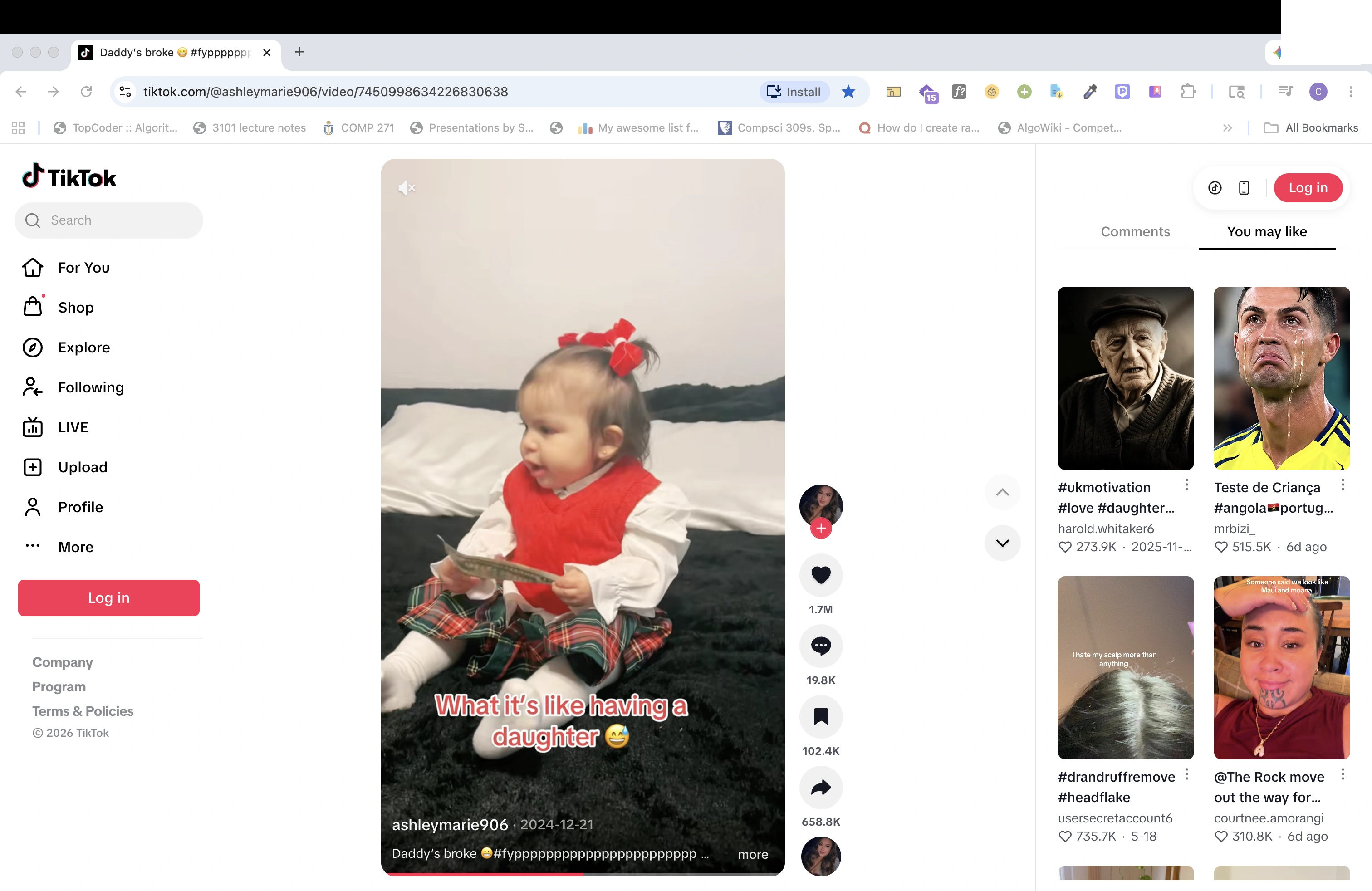 Figure 1: Standalone TikTok video player page with clean video URL path.
Click the Toolbar Extension Icon
Click the SocialClipper companion icon in your browser toolbar. The extension extracts short-form captions, creator tags, and video cover posters cleanly, redirecting you to capture.html.
Select Custom Curation Tags in capture.html
Inside capture.html, review your TikTok curation card. Organize it using our dynamic labels dropdown (type or select custom tags like #humor or #lifestyle), click "Save", and watch it instantly populate inside your hub gallery card grids!
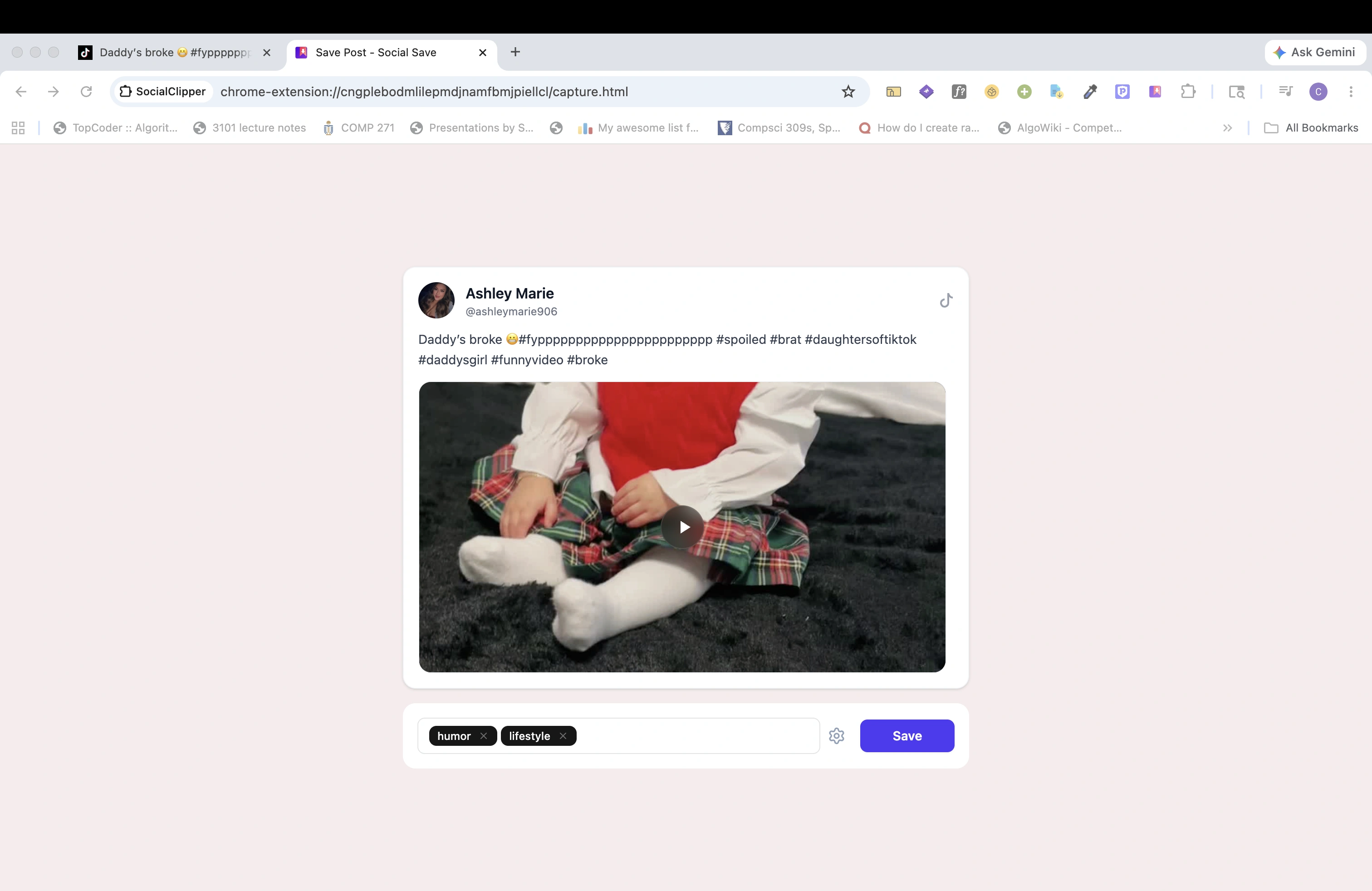 Figure 2: The SocialClipper capture window, showing the generated high-fidelity TikTok preview card and curation labels.