How to Clip X/Twitter Posts, Quotes, and Nested Threads
Master the single-click method to save complex threads, quote tweets, and high-fidelity media grids from X/Twitter into your private, searchable vault.
X (formerly Twitter) is a goldmine of real-time insights, recipe threads, coding tips, and tech news. However, keeping track of them in standard browser bookmarks is messy—links break, accounts get locked, and long threads become impossible to read.
With the SocialClipper Companion Extension, you can save single tweets, quote tweets, and full multi-post threads cleanly in seconds.
Supported X/Twitter URLs
SocialClipper supports direct single-click parsing for standalone status pages. Ensure the browser URL matches one of these patterns before clicking the extension:
https://x.com/[username]/status/[postId]https://twitter.com/[username]/status/[postId]
Note on Feed Pages: General feeds (like x.com/home, x.com/explore, notifications, or user profile listings) are not direct post-level targets. Clicking the extension icon on a feed page automatically opens our Smart Helper Bar in capture.html showing custom guides. You can close it instantly with the top-right close "X" button.
Step-by-Step Curation Guide
Navigate to an Individual Tweet Status URL
Browse to the standalone page of the post you want to save. For example, open a post status page like https://x.com/Starlink/status/2059292635911819641. If you are browsing a feed, simply click the tweet's timestamp (e.g. "2h", "May 24") to open its standalone status URL.
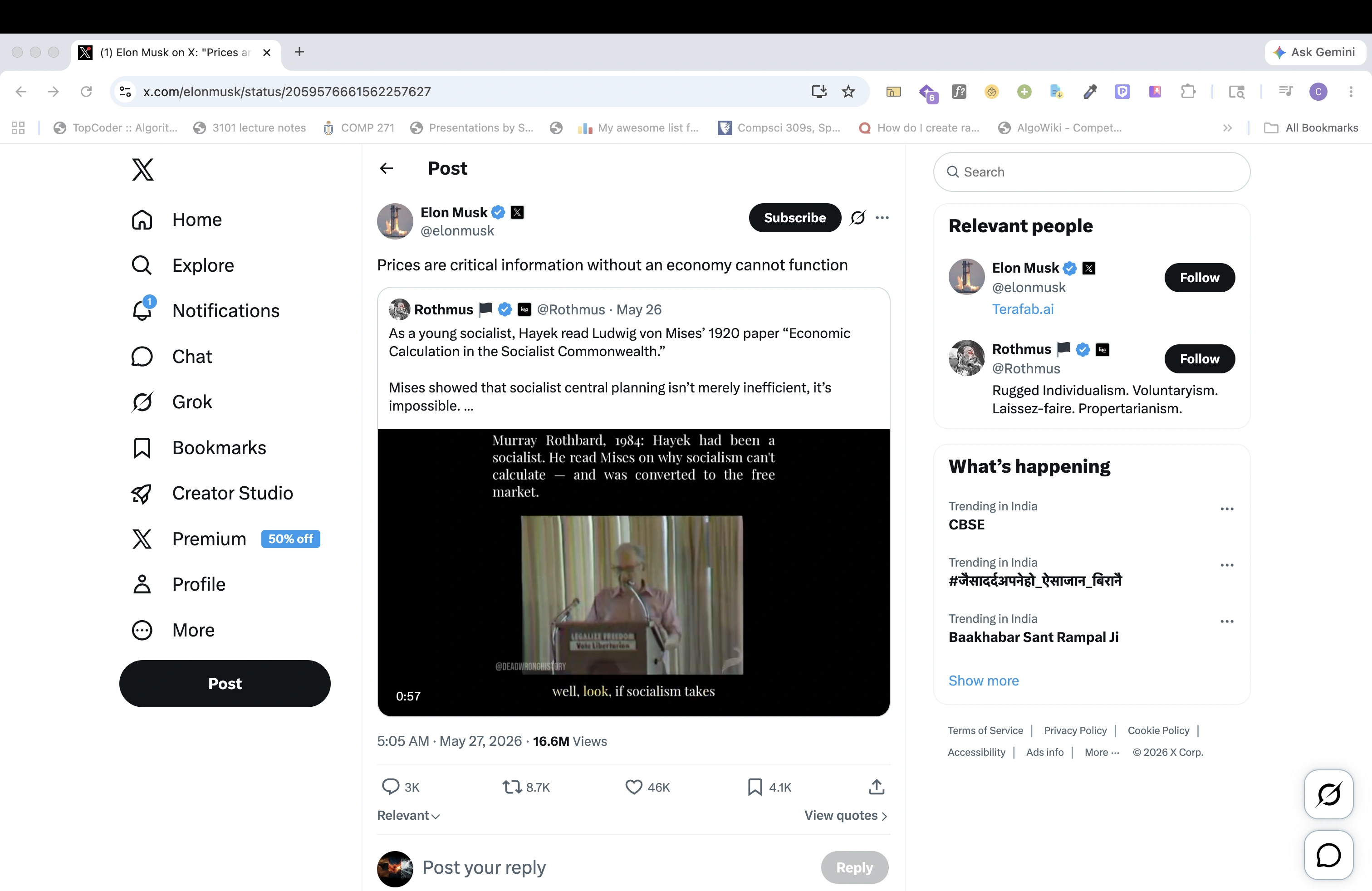 Figure 1: Navigated to the standalone Starlink tweet page. Note the clean, dedicated URL.
Click the Extension Icon in your Toolbar
Click the SocialClipper companion extension icon in the upper-right toolbar of your browser. The tool instantly extracts author details, text content, multi-image galleries, and quote tweets with full fidelity.
Preview & Add Curation Labels inside capture.html
Once clicked, the visual capture engine automatically opens capture.html. Review the high-fidelity card preview displaying author name, handle, dynamic multi-slide carousels, and rich text. Select or type custom tags (like #aerospace or #tech) in the labels input and click \"Save\" to push the curation to your dashboard!
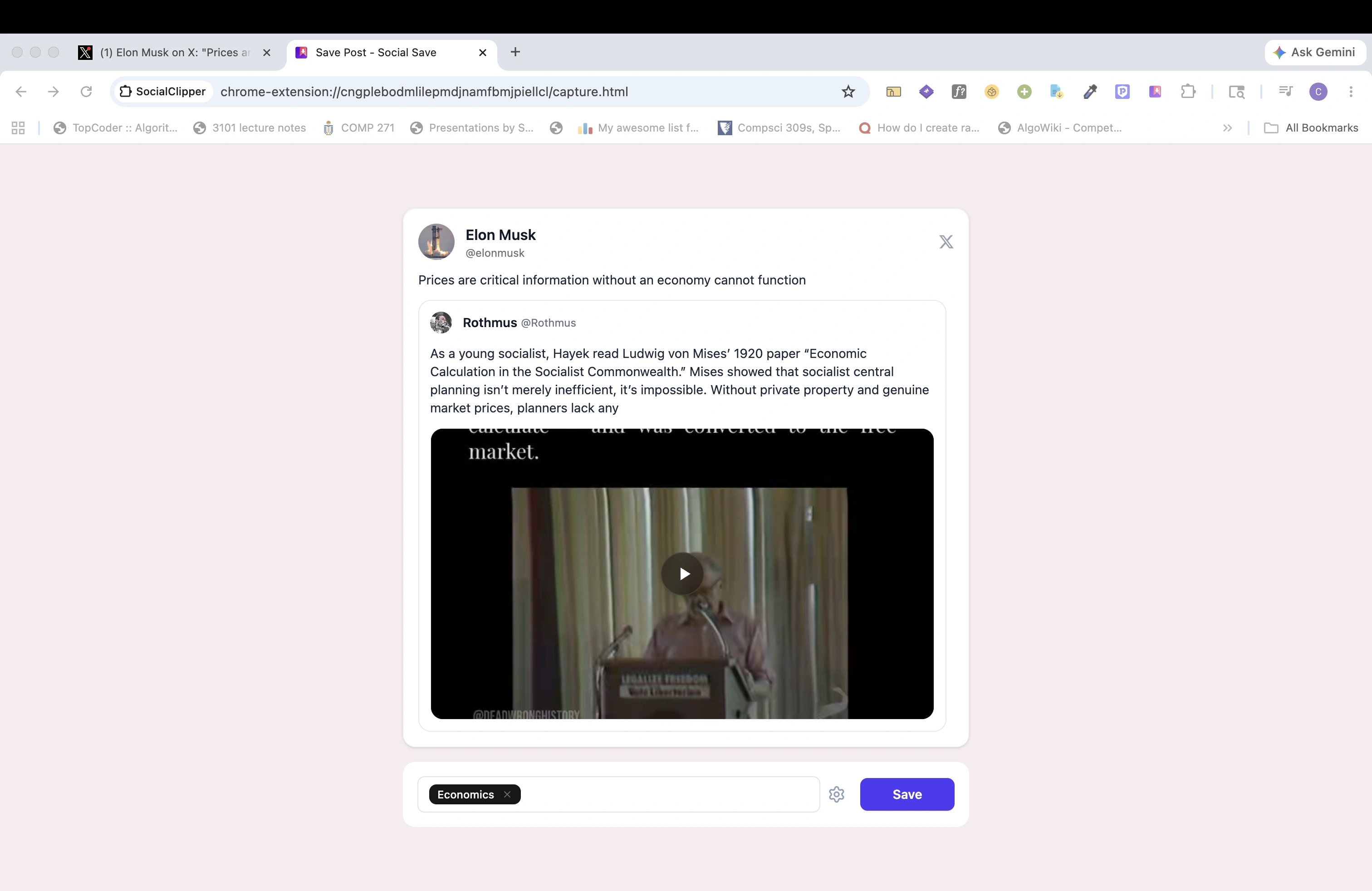 Figure 2: The SocialClipper capture window, showing the generated high-fidelity card preview and dynamic curation labels.
PRO-TIP: Unified Handle Presentation
SocialClipper automatically parses Twitter handles, removes duplicate symbol prefixes, and resolves nested quote layouts cleanly. Your saved cards will display clean names like @elonmusk without any double-render bugs!