How to Clip YouTube Videos and YouTube Shorts Highlights
Keep complete video highlights, video thumbnails, creator comments, and descriptions organized in your dashboard.
YouTube is the ultimate educational platform for long-form tutorials, code walkthroughs, and visual guides. But saving video links inside normal browser bookmark lists hides their cover thumbnails and creator notes.
Using SocialClipper, you can save video bookmarks that preserve active video thumbnails, titles, timestamps, and full creator descriptions side-by-side in your dashboard.
Supported YouTube URLs
SocialClipper supports direct single-click parsing for standalone YouTube video player pages and Shorts creators. Ensure the browser URL matches one of these patterns before clicking the extension:
https://www.youtube.com/watch?v=[videoId]https://www.youtube.com/shorts/[shortsId]
Note on Feed Pages: YouTube index search pages or creator home feeds are not standalone video-level targets. Clicking the extension icon on a search or subscription feed automatically opens our Smart Helper Bar in capture.html showing custom guides. You can close it instantly with the top-right close "X" button.
Step-by-Step Curation Guide
Play the Video or YouTube Shorts Clip
Make sure you are on a dedicated video player page containing the watch?v=... search param, or on a dedicated Shorts URL path containing /shorts/. For example, open https://www.youtube.com/watch?v=FYoHYq8VRt0 in your browser.
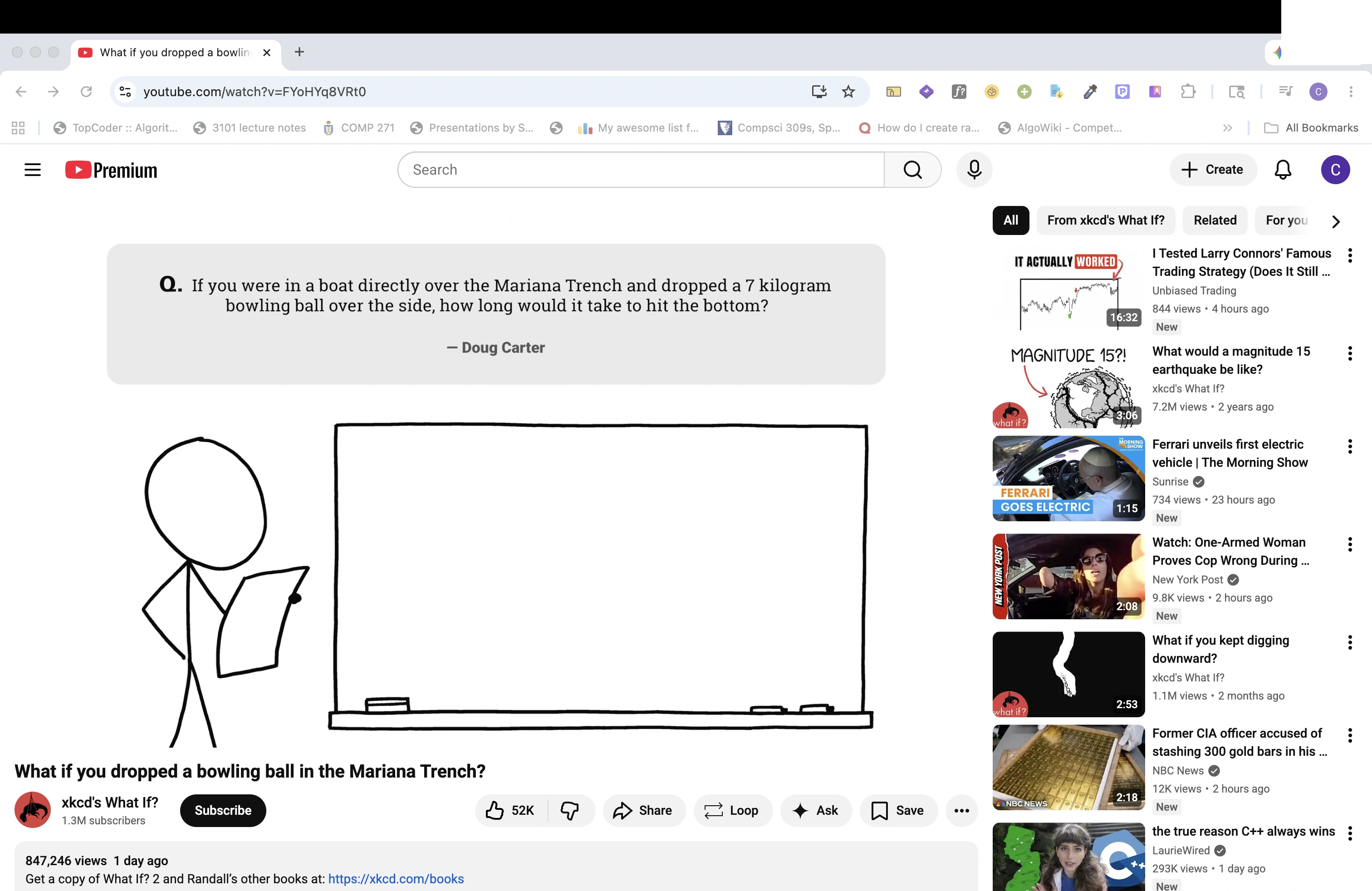 Figure 1: Standalone YouTube watch video page with clean watch URL.
Click the Extension Icon in the Toolbar
Click the SocialClipper companion icon in your browser toolbar. The extension parses the creator channel handle, high-resolution video cover, video description details, and duration, loading them into your preview card.
Preview & Categorize in capture.html
Inside the configuration popup, review the dynamic card representation: it features the YouTube cover poster overlaid with a glassmorphic play button. Type or select custom tags like #developer or #tutorials and click "Save" to sync instantly.
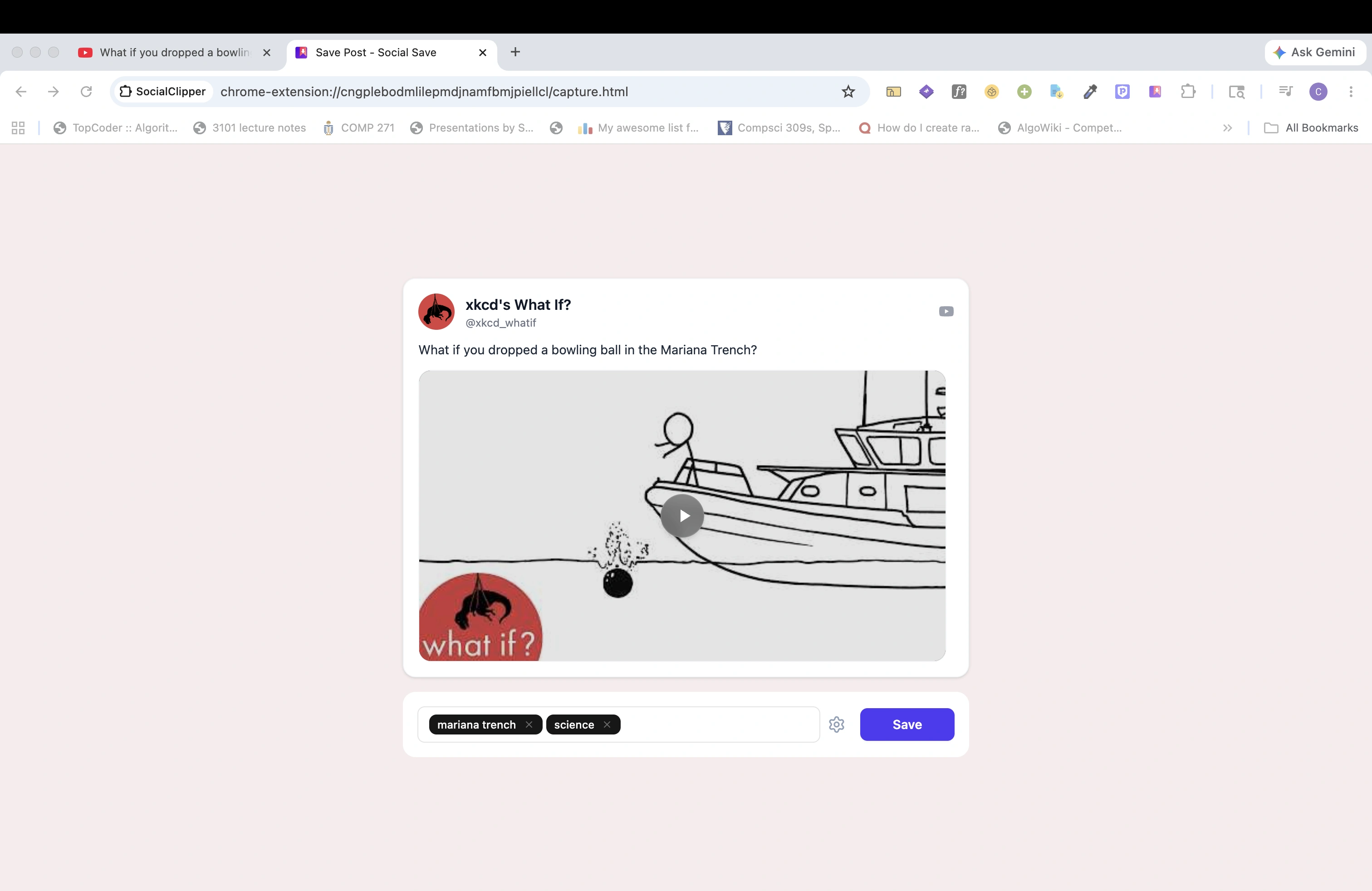 Figure 2: The SocialClipper capture window, showing the generated high-fidelity YouTube preview card and curation labels.